Sounds like you
It learns how you actually write from the replies you send: length, emojis, capitals, slang. Set a different tone per app, so LinkedIn never gets your dating voice.
AI reply keyboard for iPhone
Typeback reads the conversation on your screen and writes the reply in your own voice. Dating apps, WhatsApp, LinkedIn, X, Reddit, email: anywhere you can type.
iPhone · iOS 18 or later
Works wherever you type
Hinge, Tinder, Bumble and every other dating app
Ewa
so what does your ideal sunday look like
✨ Typed into the field, with other takes if you want them
LinkedIn, Slack, Teams, recruiter DMs
Daniel · Recruiter
Hi! Loved your post on onboarding. We’re hiring a product designer. Open to a quick chat next week?
✨ Typed into the field, with other takes if you want them
X, Reddit, Threads, YouTube comments, Discord, forums
Maya Chen · post
Unpopular opinion: nobody actually reads onboarding screens. Change my mind.
✨ Typed into the field, with other takes if you want them
WhatsApp, iMessage, Messenger, Telegram, group chats
Mama
Przyjedziesz w niedzielę na obiad? Robię pierogi 🥟
✨ Typed into the field, with other takes if you want them
Gmail, Outlook, Mail, Spark
Laura · Landlord
Hi, the plumber can come on Thursday between 9 and 12. Does that work for you? Best, Laura
✨ Typed into the field, with other takes if you want them
Typing, deleting, rereading their message for the fifth time. It writes the reply you would have landed on, while you still feel like answering.
You, 1:12 a.m.
ok you will NOT believe what Marco just did
You, with the keyboard
ok you will NOT believe what Marco just did
How it works
No switching apps, no uploading screenshots, no prompt to write. It lives in your keyboard, right where the reply goes.
On the chat (or their profile first), press the Action Button. Each press is one screenshot only the keyboard gets, never saved to Photos. Rather have it follow along? Double-tap the back of your iPhone and it reads as you scroll.
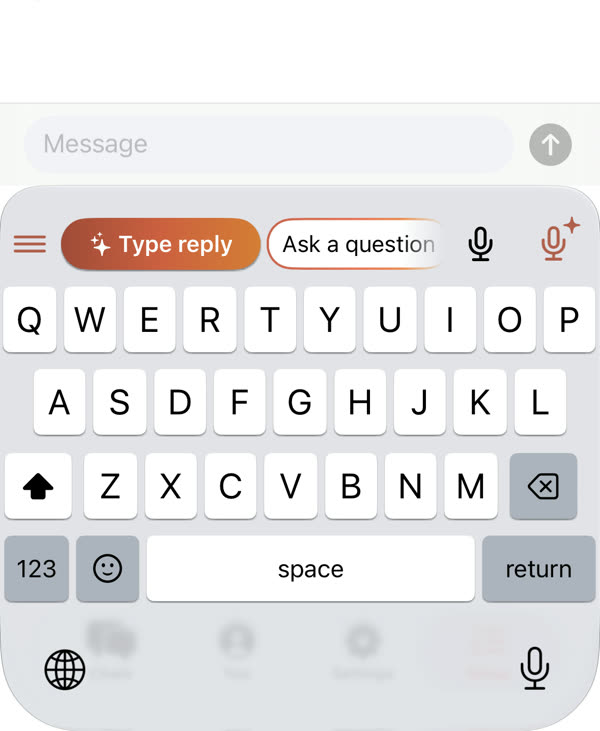
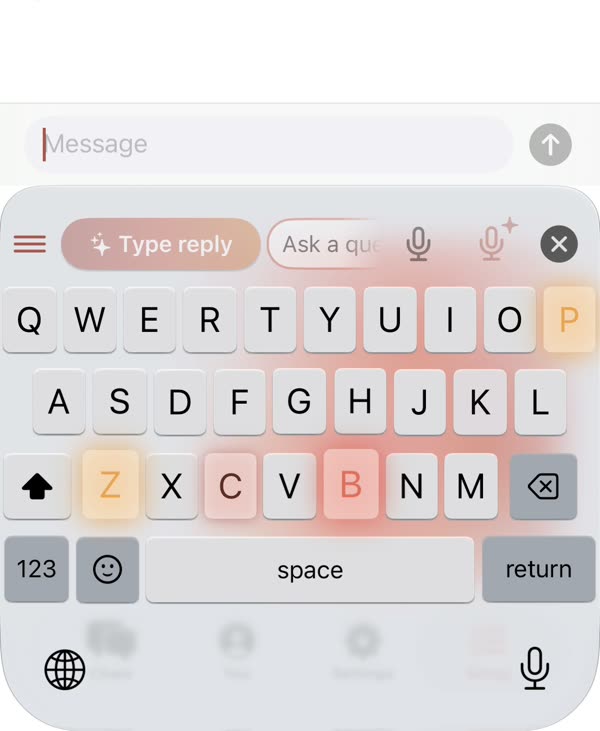
The reply is written from what it saw and typed straight into the field, with a little sweep of light. Reading as you scroll? Tap ✨ Type reply above the keys.
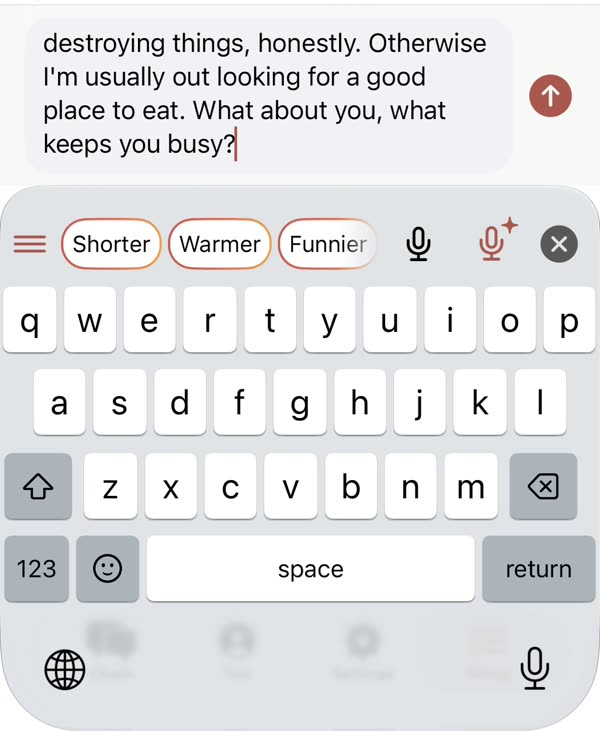
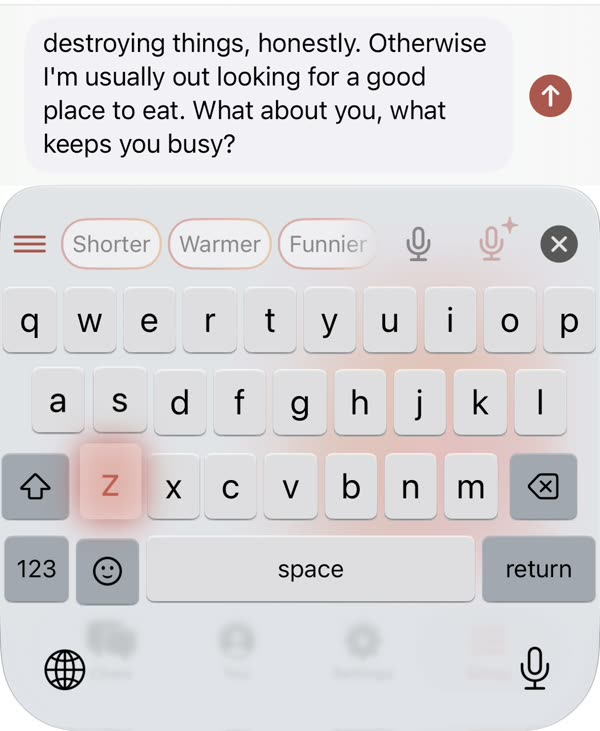
Big buttons take the place of the keys: Shorter, Warmer, Funnier, Ask a question. Or tap 🎤 Change and say what you want different. Then you press send.
Built in
It learns how you actually write from the replies you send: length, emojis, capitals, slang. Set a different tone per app, so LinkedIn never gets your dating voice.
After a reply, big buttons take the place of the keys: Shorter, Warmer, Funnier, Ask a question, or ✎ your own words. Edit the list to make it yours, and undo goes back step by step.
One look at a profile or thread and it knows the person next time, so replies pick up where you left off. Delete it all from the app whenever you like.
Replies come in the language of the chat and translate with one tap. Autocorrect switches between English and Polish as you type.
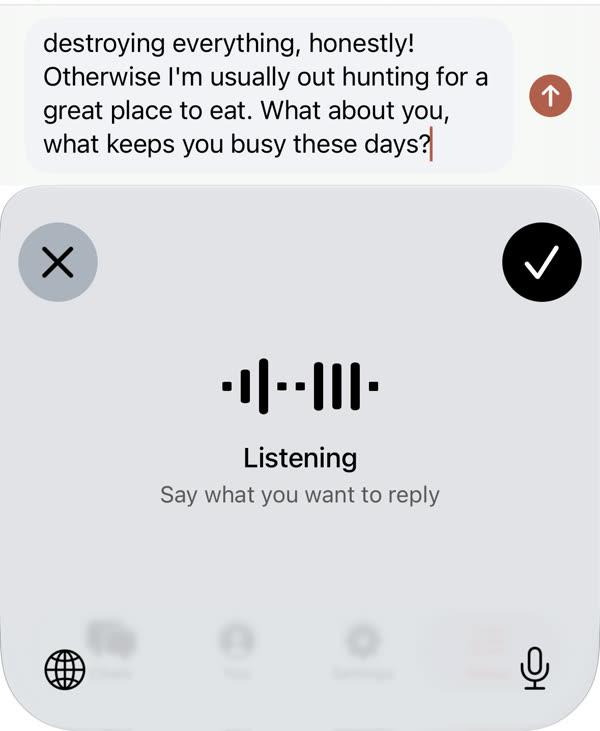
🎤 dictates. ✨🎤 takes what you say (“yes, but Sunday”) and writes the reply from the chat. 🎤 Change rewrites the one in the field.
Your handle, number, address or usual availability, two taps away.
Everything the keyboard typed, by day and person, searchable.
Keys as tall as Apple’s, emoji, word suggestions, space-bar cursor, accents and haptics. Typing works offline.
Privacy
A keyboard sees a lot. This one is built to see only what it needs, only when you ask, and to keep the rest on your phone.
Typeback writes the reply and puts it in the field. It never sends a message, likes or posts anything for you.
A screenshot only when you press. Reading as you scroll only after you start it, with iOS showing it’s on, and it switches itself off when you stop using it.
What it remembers about the people you talk to is kept on your device, and Delete my data wipes it in one tap.
Screens it reads never land in your photo library.
Pricing
$0 forever
7 days free, no card
$39.99 a year or $4.99 a week
🎁 Invite a friend and you both get a week of Pro.
Any app where you can type and switch keyboards: iMessage, WhatsApp, Instagram, dating apps, LinkedIn, X, Reddit, Discord, Telegram, Slack, email, forums and comment boxes. A few fields, like passwords and some banking apps, only allow Apple’s keyboard; that’s an iOS rule.
No. Typeback only puts text in the message field. You read it, change it if you like, and press send yourself.
No. It reads the screen only after you start it (Action Button, Back Tap or Control Center), iOS shows when it’s on, and the same press stops it. You can also use single screenshots instead.
iOS calls a keyboard’s network access “Full Access”, and the AI needs it to write replies. Plain typing, autocorrect and suggestions work without it.
Like you. It picks up your length, emojis, capitals and slang from the replies you actually send, and you can set a different tone per app. If one misses, one tap makes it shorter, warmer or funnier, or you just say what to change.
Replies come in the language of the conversation, and you can translate a draft with one tap. Autocorrect handles English and Polish today.
Yes: the keyboard and 5 AI replies a day are free. Pro adds unlimited replies, memory of everyone you talk to and several screens per reply, with 7 days free and no card to start.
Not yet. Typeback is iPhone only for now, on iOS 18 or later.